Church Floorplan 1.0 · Mac & Windows

A little more ready
for Sunday.

Plan the service. Prepare the stage. Create what goes on screen.
A workspace for the people bringing it all together.

Free to use. Supported by optional donations.

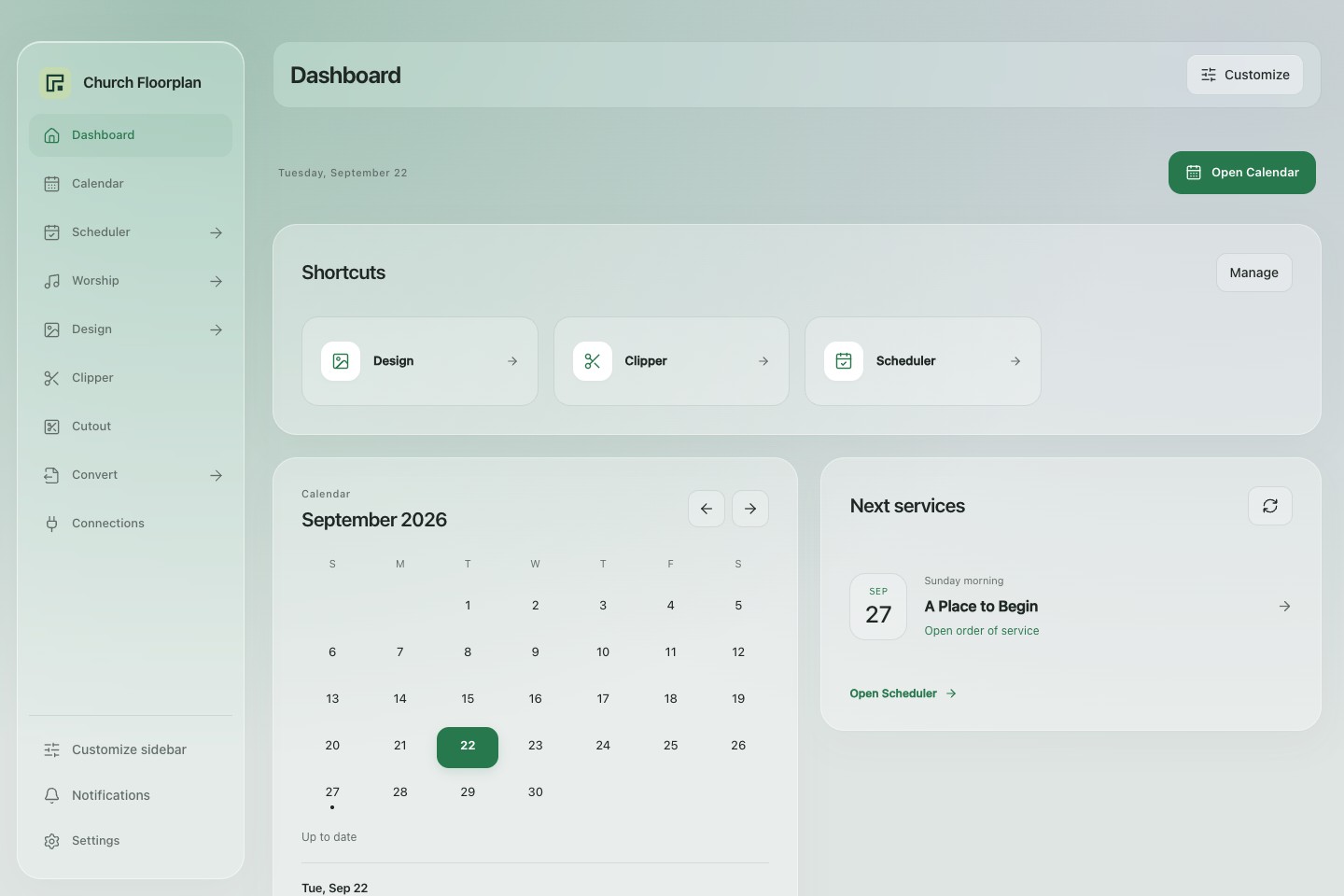
Church Floorplan 1.0 dashboard with sidebar navigation, shortcuts, calendar, and an example upcoming service
Dashboard, calendar, and service shortcuts in the new interface.Actual app · Example content ↗

The work around the service

Your week has a lot of parts.
Keep them within reach.

Built around the everyday work of church production, with local creative tools and connections to the services your team already uses.

New in 1.0

Customize your workspace.

Choose dashboard shortcuts, arrange the dashboard cards, and hide or reorder sidebar tools. Your choices stay on this device.

Expand the arrow beside a tool to open its tabs directly from any page. Design, Convert, Scheduler, and Worship keep their sections within reach.

Worship tools

Open Practice, Tuner, Metronome, Numbers & chords, or Psalmetry from the Worship menu. Use Planning Center files your account can access, or import your own practice files.

Settings and setup

Open Settings for your profile, appearance, connections, lighting, and updates. Clipper setup is on the Clipper page.

Service & volunteer planning

See the service.
Keep the details close.

Sign in with Planning Center to see plans and song information. Add production notes and item leaders, then export a PDF for the team.

In Scheduler, prepare volunteer drafts using roles, availability, serving frequency, and preferred weeks. Review the assignments before publishing to Planning Center.

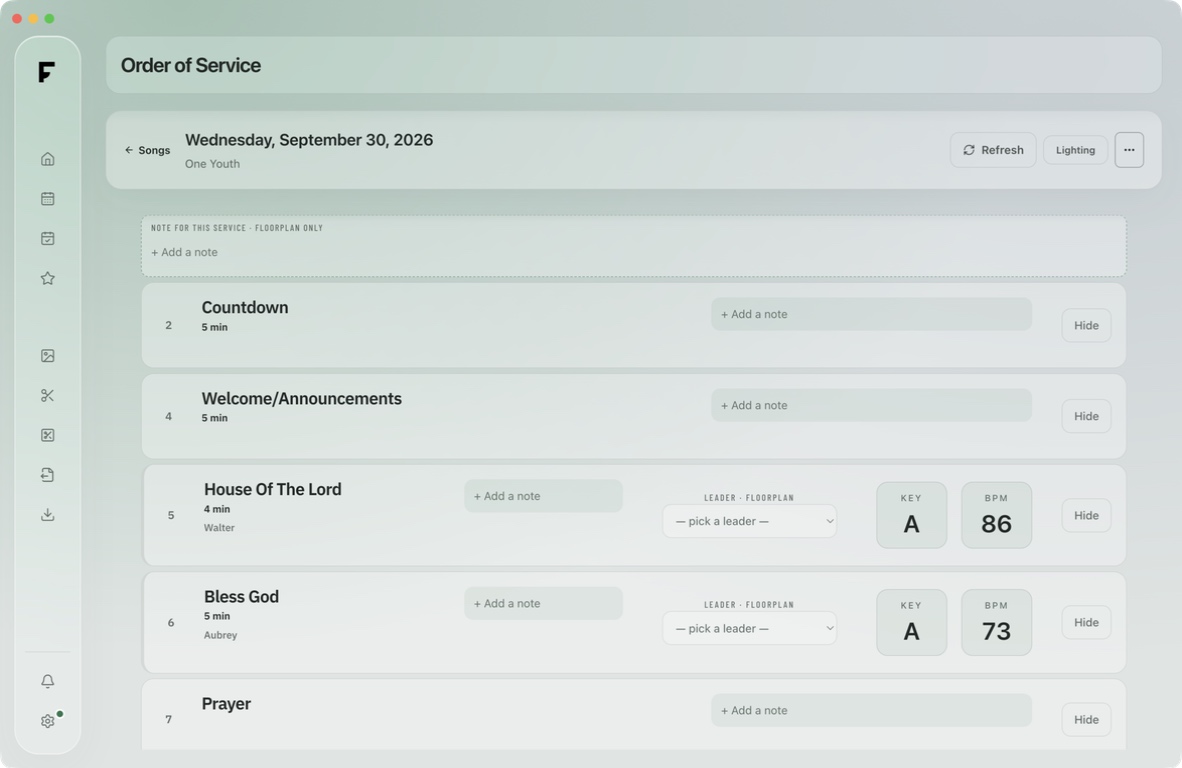
Floorplan’s order of service for One Youth on September 30, 2026
Order of service shown in Floorplan.Floorplan app ↗

Design & Social Media

A look you can
come back to.

Choose a thumbnail theme, then adjust the title, photo, colors, and typography. Export a JPG or PNG at standard or double size.

Create social graphics with photo templates, editable layers, text, and image adjustments. Save your project to keep editing later. Gather a series’ colors, fonts, and files in a Design Guide. Use Logo Overlay to position images and text over a photo or video. Save supported projects to reopen later or move between desktop installations.

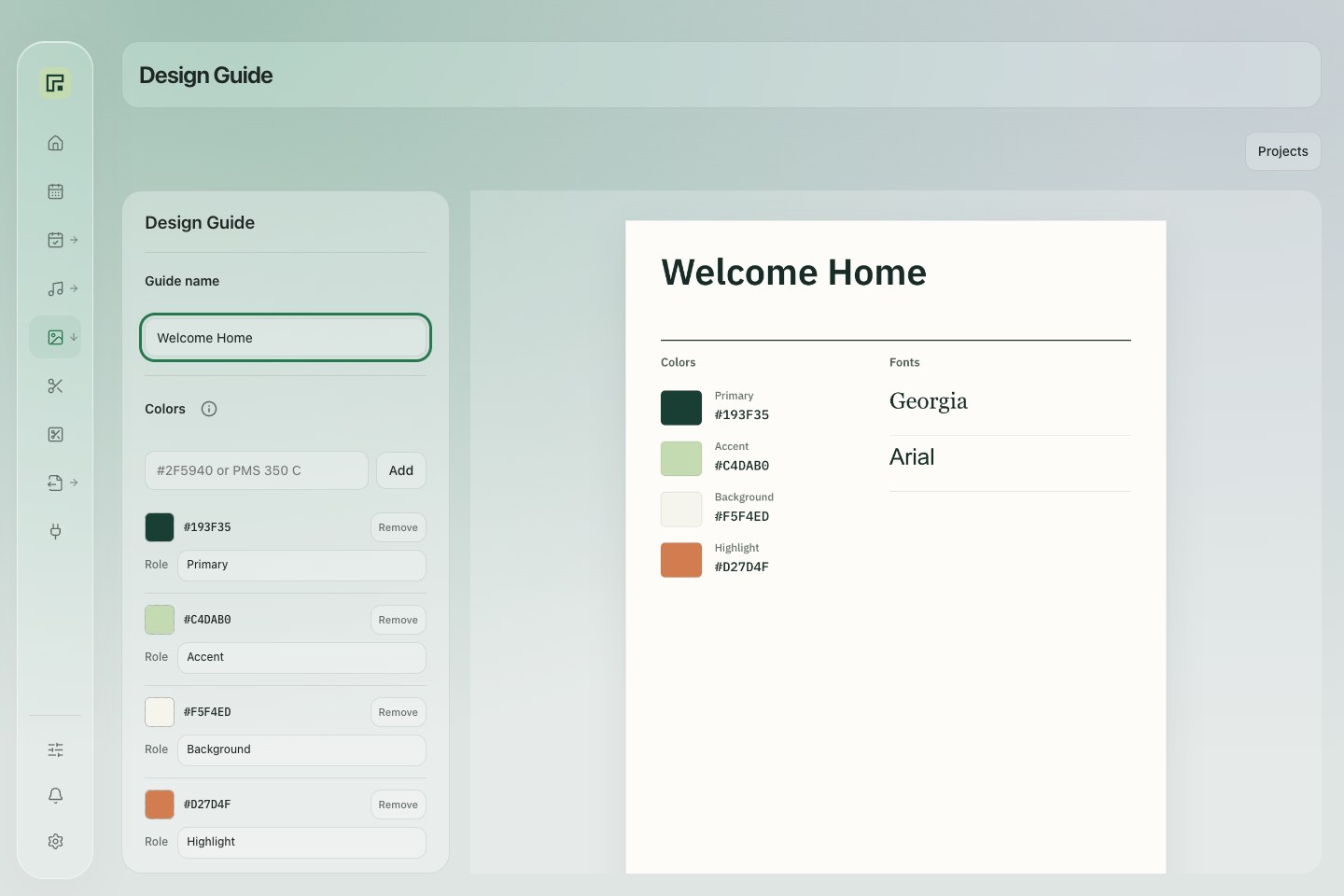
Church Floorplan’s Design Guide with an example Welcome Home palette
A shared visual reference for the next series.Actual app · Example content ↗

Stage Layout

Know who goes where.
And what they need.

Create a standard layout for your room, then assign people and equipment to each service. Keep instruments, microphones, inputs, and monitor mixes with their positions.

Reuse a weekly default without changing earlier service layouts. Include the stage setup when you export your service plan.

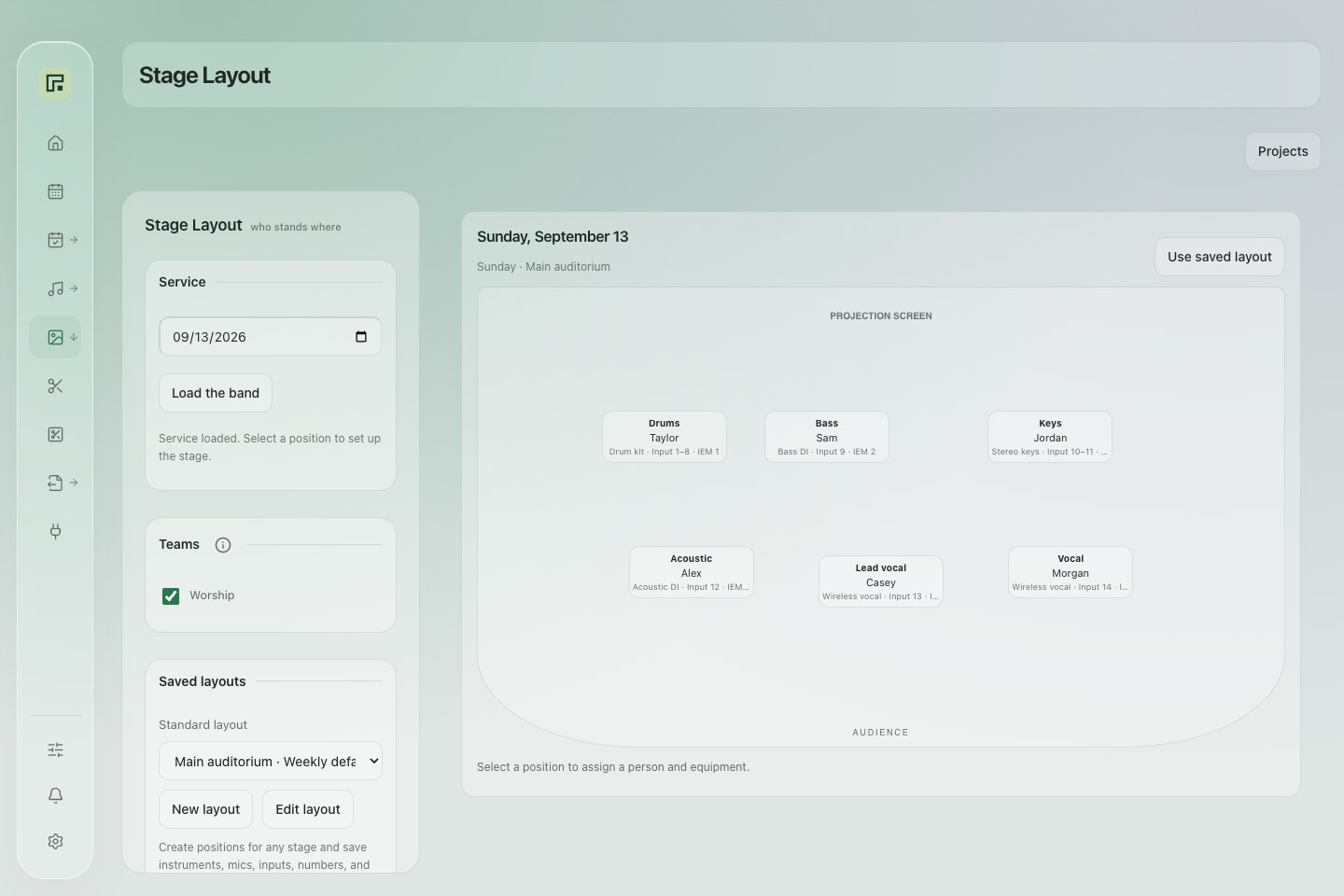
Church Floorplan’s stage layout showing fictional musicians and equipment assignments
The same stage. A clear setup for this service.Actual app · Example content ↗

Creative work, on your computer

From the recording
to the next post.

Work from your own files. These tools don’t require a Planning Center or Trello account.

01

Sermon Clipper

Transcribe a saved recording locally. Review suggested moments or choose your own ranges, style the captions, adjust the framing, and render clips in a batch.

FFmpeg, Whisper, and a speech model require initial setup. Speaker tracking uses Apple Vision on Mac; Windows uses motion-based framing.

02

Photo Cutout

Remove a photo’s background, refine the edges with erase and restore brushes, crop the result, and save a transparent PNG. HEIC photos are supported.

Runs locally after a one-time model download.

03

File conversion

Batch-convert images and PDF pages to JPG or PNG. Choose JPG quality or keep transparency in PNG, then save the results to one folder.

Each PDF page becomes a separate image.

Connections

Your existing tools,
part of the plan.

Planning CenterTrelloCalendar feedsgrandMA3

Plans and calendars. Sign in through Planning Center’s own login. Connect Trello separately and choose your boards. Add read-only iCalendar subscription links from services such as Google Calendar, Outlook, or Apple Calendar.

Lighting beside the service. Configure a grandMA3 connection for cue and fader controls, or open its Web Remote from the plan. Console control requires network access and setup in Settings.

An independent project, not affiliated with or endorsed by these services. Your account permissions still apply.

Start with your next Sunday

Make yourself
at home.

Download the installer for your computer, then check for updates inside the app.

Current app update: 1.0.12
Installer versions below are listed separately.

Mac · Apple SiliconM-series · Installer 1.0.12

macOS 13 or later. Signed and Apple notarized.

Mac · IntelIntel processor · Installer 1.0.12

macOS 13 or later. Signed and Apple notarized.

Windows · 64-bitx64 PC · Installer 1.0.12

Windows 10 or 11. Unsigned preview; full testing on Windows hardware is still pending.

Availability by feature.

CFP’s shared church service, Training, and automatic digest emails are not enabled yet. Adobe Font extraction and YouTube downloading are not included. Check the feature availability before relying on a new workflow.

Supported by people like you

Free to use.
Funded by donations.

If Church Floorplan saves your team time, you can help support its development through Buy Me a Coffee.

Support the project

Donations are optional. The app is free to download and use.